Dockerize Everything.
— What do we mean by “Dockerizing” an App?
“Dockererizing” an App allows us to bundle our application’s dependencies within the container, isolating them from the host system which avoid conflicts with other applications or system packages and makes it easy to manage and update dependencies.
— Why should we “Dockerize” everything from Apps to Automation Test Cases?
Dockerizing an App offers portability, consistency, and scalability for deploying applications in different environments. Docker containers are lightweight, isolated, and easy to deploy.
— How do we “Dockerize” an App?
- Development Node – This node could be a VM like AWS EC2 (see Learning – AWS), Openstack or a MacOS Laptop
- Install Docker
- Install our Development environment
- Programing Language: for Example, Install Python on MacOS (it is assumed brew exists). On MacOS, you may already have a version of python which you can check with the command=”python –version”
- Run command, brew install python (note: pip is also installed)
- Development IDE: for example, Visual Studio
- Download and install Visual Studio
- Programing Language: for Example, Install Python on MacOS (it is assumed brew exists). On MacOS, you may already have a version of python which you can check with the command=”python –version”
- Install libraries and packages that you will utilize for developing our App
- For example: we will develop an App to scrape websites
- Run command, pip install beautifulsoup4
- Run command, pip install requests
- Run command, pip install lxml
- For example: we will develop an App to scrape websites
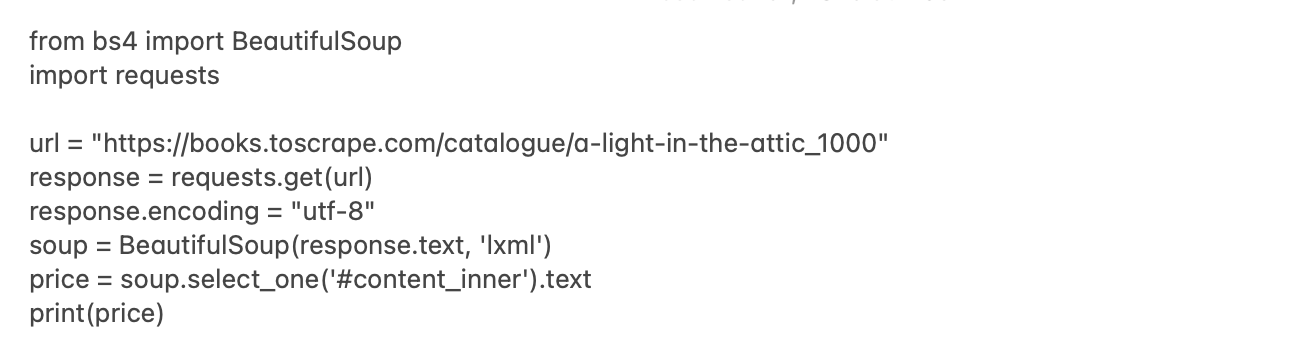
- Write our App
- For example
- Test our App
- Run command, python -m App
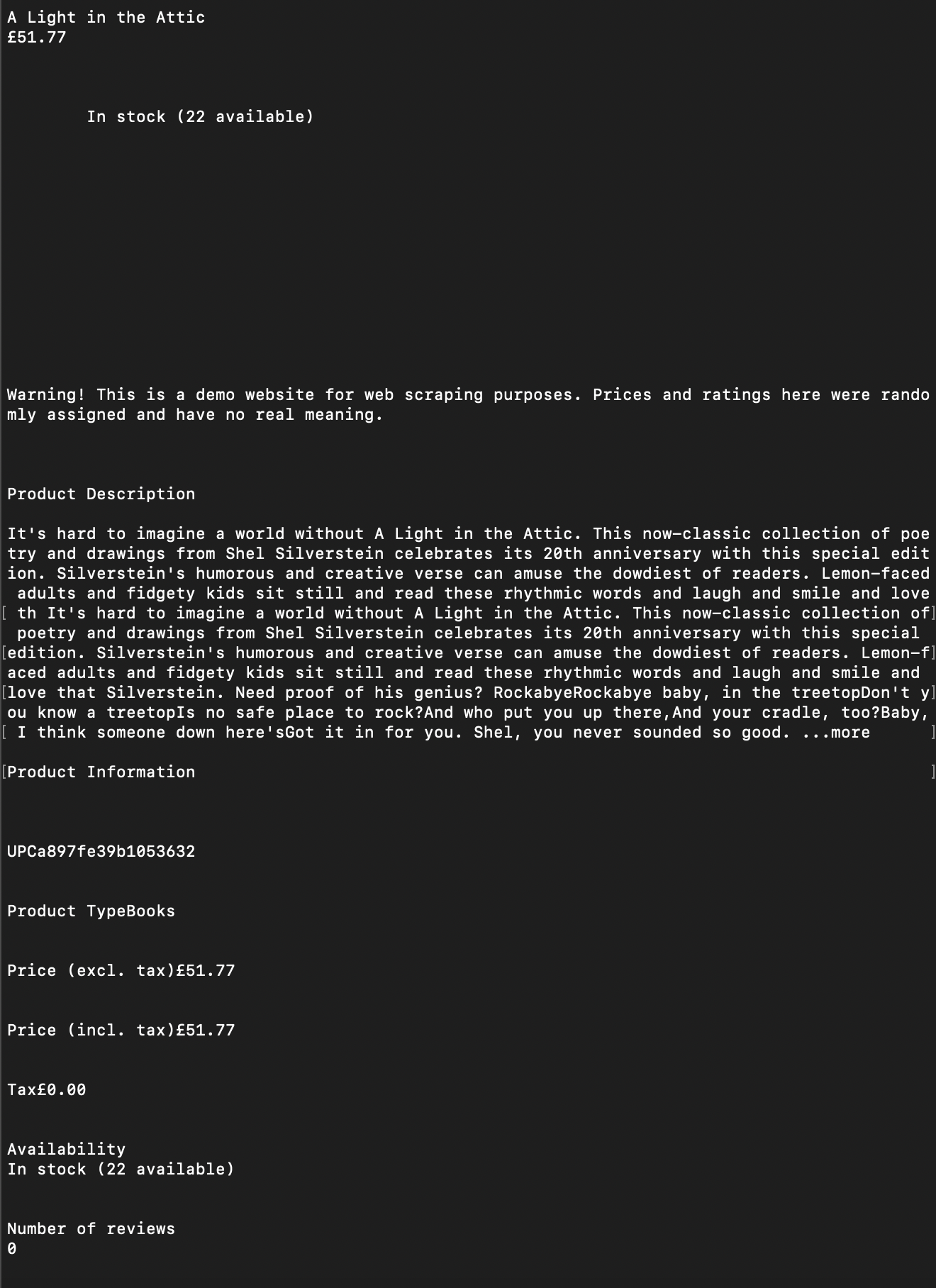
- For example, you should get the following results
- Dockerize our App
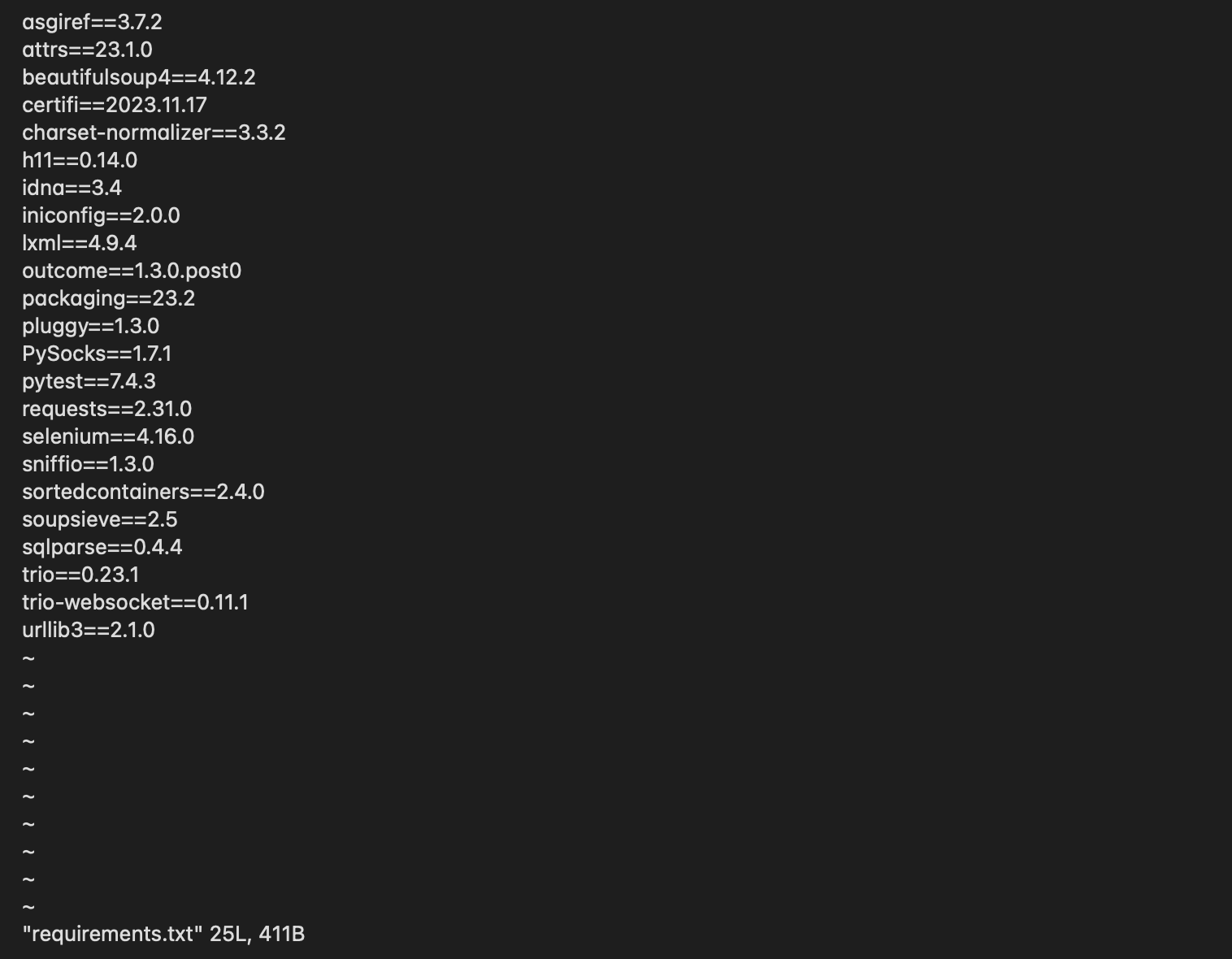
- Create a requirements.txt (or you could specify each dependencies within the dockerfile as well)
- On our Development Node:
- Run command, pip freeze requirements.txt
- The requirements.txt file should contain the Python packages you installed on our Development Node plus Python itself. You can run a sanity test with command, “pip list,” which prints out the libraries/packages installed on our node and should match requirements.txt
- Run command, pip freeze requirements.txt
- On our Development Node:
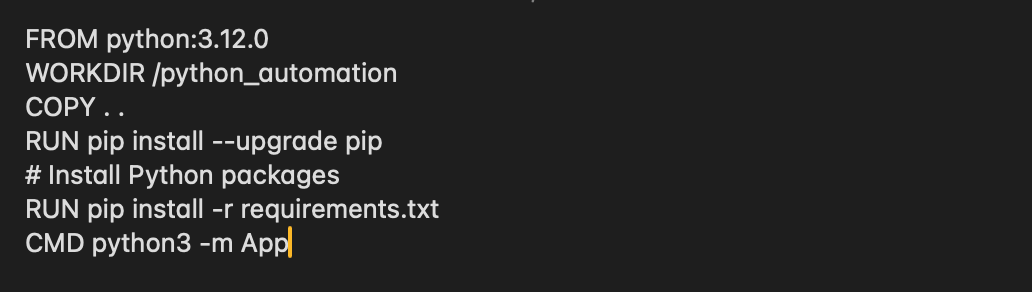
- Create a dockerfile
- For example
- Create a requirements.txt (or you could specify each dependencies within the dockerfile as well)
- Create a Docker image of our App
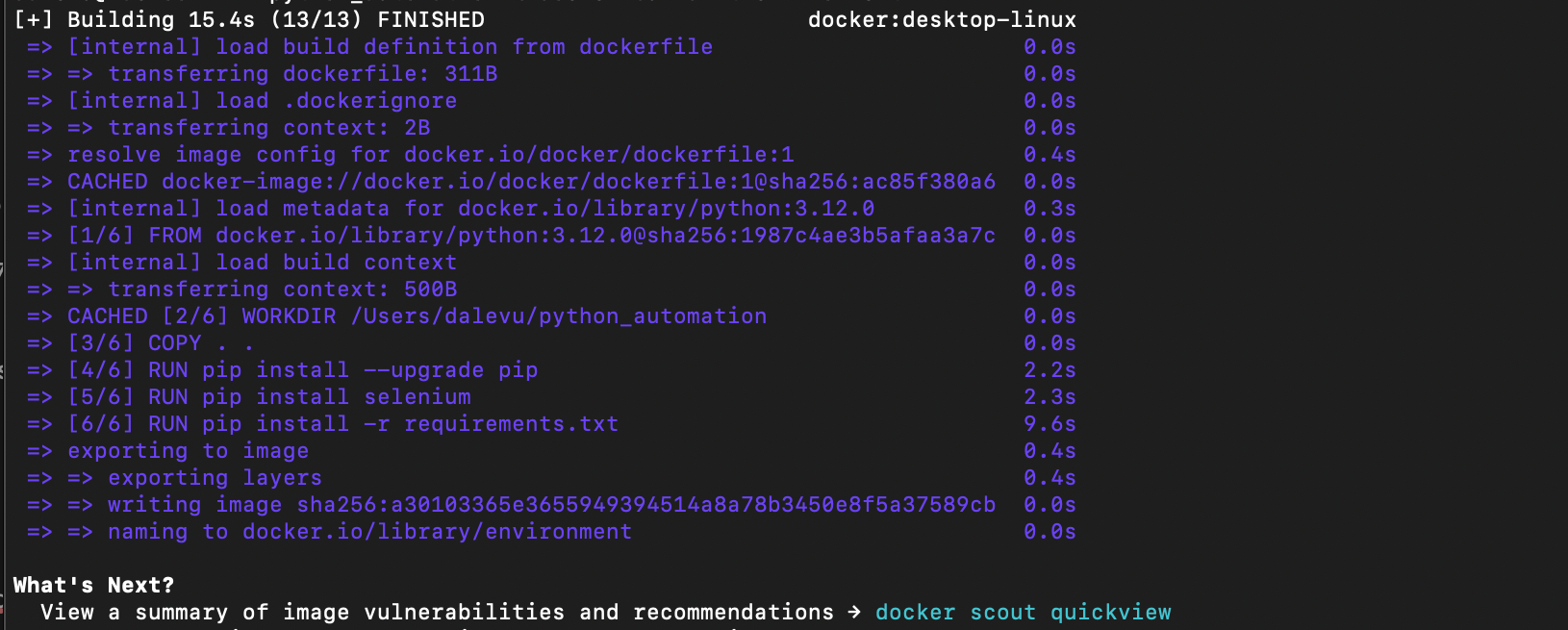
- Run command, docker build -t app .
- For example
- Run command, docker build -t app .
- Run our Docker image
- Run command, docker run App:latest
- For example, you should get the following results
- We may re-use and execute this App on any node with Docker; dependencies like Python, libraries, and packages are met and contained within the Docker image. We checked our code into Github
Notice that the website being scraped, URL, is hard coded within the code which may be adequate and acceptable for our application.
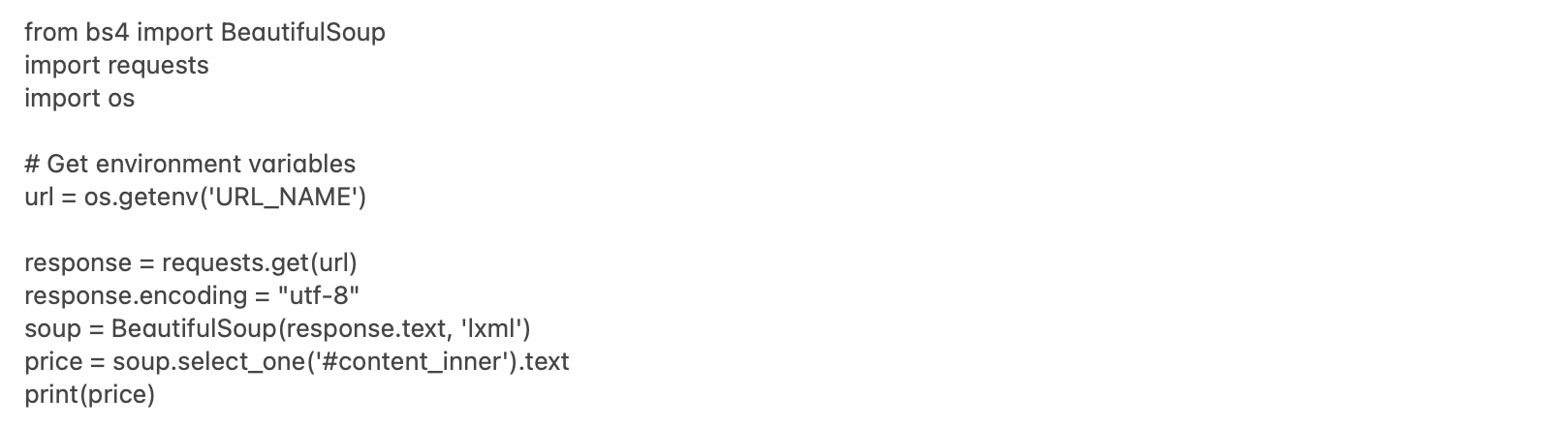
If you want to make the App more flexible, consider pulling out the URL from the code and making it an environment variable that is set at runtime.
- Write our App
- For example
- Build our Docker image and Run Docker:
- Run command, docker run -e URL_NAME=’https://books.toscrape.com/catalogue/a-light-in-the-attic_1000 ‘ app:latest
- For example, you should get the following results


 surfrrs.com
Leave a comment