Monitoring and Support are intricate aspects after a software deployment/upgrade. Utilize automation for our system monitoring – synthetic checks.
The Synthetic Checks (sampling Jenkins)
- Is Jenkins up and running (e.g. can you log into Jenkins)?
- Do objects/elements exist as expected?
- Are projects/folders accessible?
- Can you execute a job?
— What do we mean by Synthetic Checks?
Synthetic tests mimic real user traffic by sending simulated requests to our applications and services.
— Why should we periodically check/test our systems?
Synthetic Checks are automated tests scheduled to execute periodically to inspect the health of our systems and report failures before our Users experience them.
— How do we create Synthetic Checks?
Pre-requisite: It is assumed we have Jenkins (and Firefox) in this example or install Jenkins before continuing; as of this writing, we are using Jenkins 2.426.1.
- Install our Development environment
- Programing Language: for Example, Install Python on MacOS (it is assumed brew exists). On MacOS, you may already have a version of python which you can check with the command=”python –version”
- Run command, brew install python (note: pip is also installed)
- Development IDE: for example, Visual Studio
- Download and install Visual Studio
- Programing Language: for Example, Install Python on MacOS (it is assumed brew exists). On MacOS, you may already have a version of python which you can check with the command=”python –version”
- Install libraries and packages that you will utilize for developing our automation tests
- For example: we will develop tests to check Jenkins
- Run command, pip install selenium
- Run command, pip install unittest (you can also use pytest which we’ll demo as well)
- For example: we will develop tests to check Jenkins
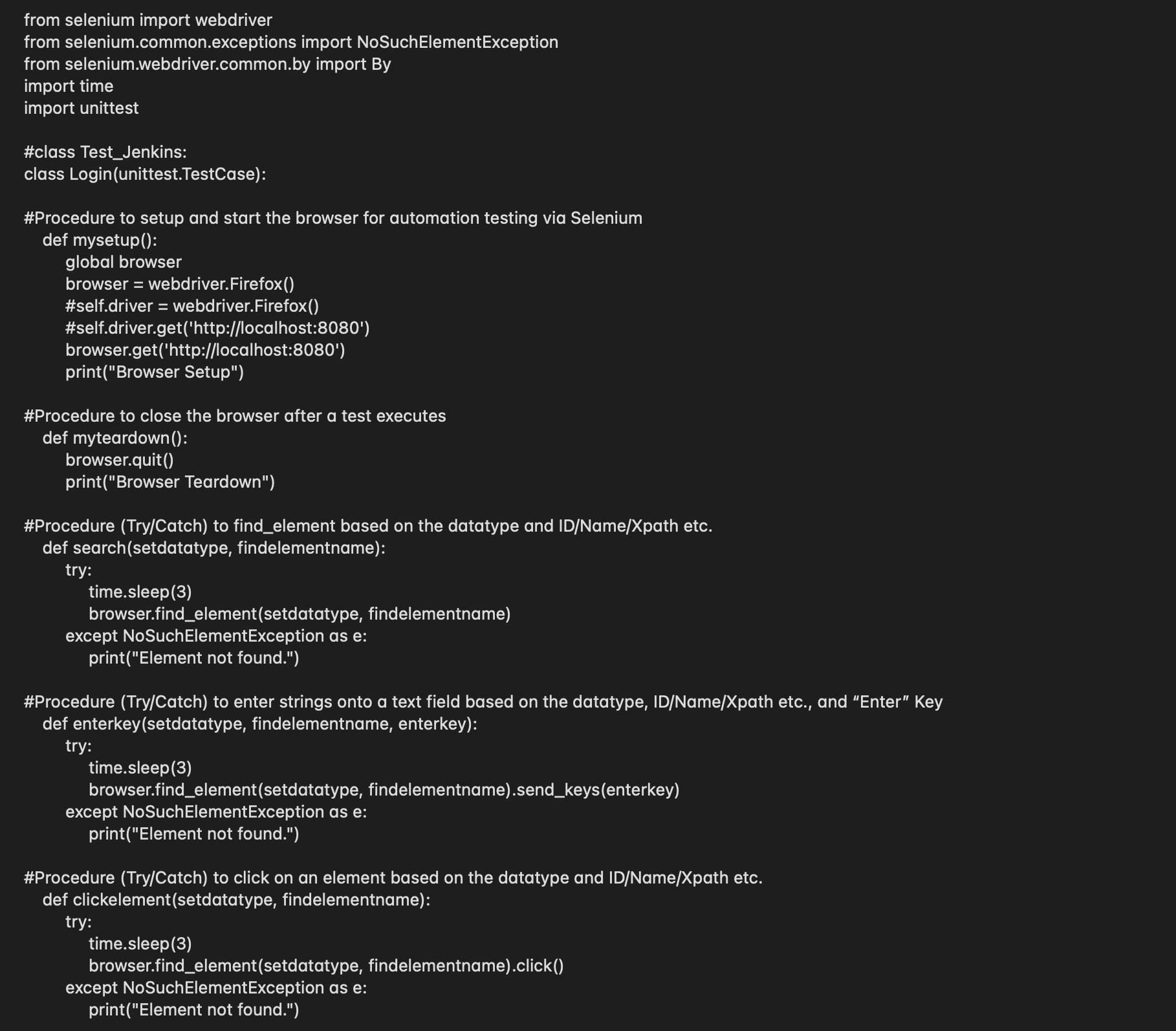
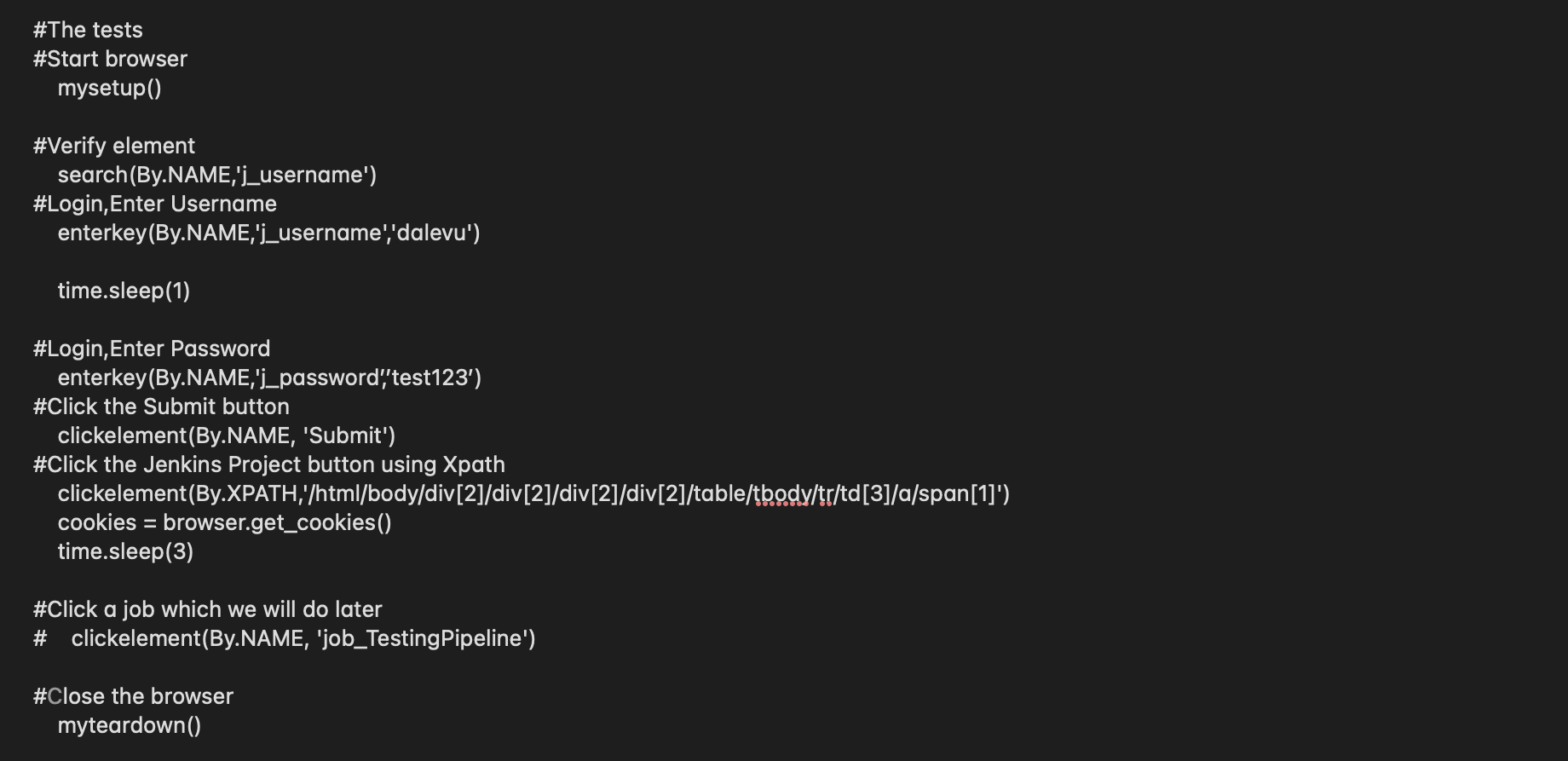
- Write our Tests. In our example, we are creating test_Jenkins.py
- For example: create our procedures
- For example: create our tests
- Test our App
- Run command, python -m test_Jenkins, which logs into Jenkins
- For example, you should get the following results— showing you have successfully logged into Jenkins
- Here’s another example of a Jenkins Job that runs a Synthetic Check for jobs in the Jenkins Queue, and based on the results, can trigger e.g. method, procedure, function
- We will execute a Jenkins Job and Dockerize the test
— How do we schedule Synthetic Checks?
We can utilize a monitoring tool like Sensu; you can create a custom check that runs our automation tests periodically (e.g. every 10min).



 surfrrs.com
Leave a comment