
— What do we mean by “Configuring Nodes and installing Apps”?
We need to configure nodes like creating Users and setting permissions, and apps installed that we intend to utilize.
— How do we configuration a node and install apps?
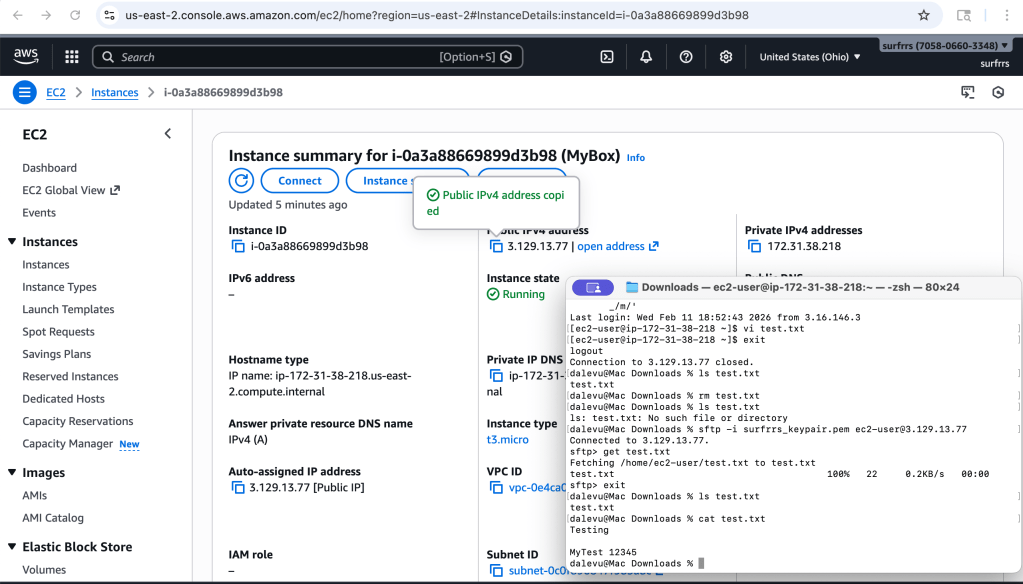
- SSH into the node
- Start a terminal
- If you are using a private key (e.g. “mykey.pem”)
- Goto to the directory where our private key file exist (e.g. ~Download)
- Run command, “ssh -i mykey.pem ubuntu@xx.xx.xx.xx” (replace xx with you IP address like 18.118.139.37). We are using the default User=ubuntu that comes with Ubuntu images
- If you encounter an exception
- Run command, “sudo chmod 400 mykey.pem” to grant our User read permissions to the file (Group and Other members have no permissions)
- If you encounter an exception
- Create User(s)
- Run command, “sudo adduser <our user name>” (e.g. surfrrs)
- Enter a password for our User
- Run command, “sudo adduser <our user name>” (e.g. surfrrs)
- Password expiration and rotation
- Passwords may expire at set intervals so we will need to schedule password updates
- Setting password not to expire is an option that some may argue is viable for Service Accounts and mitigate lock-out scenarios; albeit, we have backup images to recreate nodes in the latter situation
- Add our User to the sudo list if they should have root permissions
- Run command, “sudo vi /etc/sudoers”
- Add a privilege for our User like “surfrrs ALL=(ALL:ALL) ALL”
- Save (e.g. :wq!)
- Run command, “sudo vi /etc/sudoers”
- Configure our User to allow remote access (SSH) to our node
- Run command, “sudo vi /etc/ssh/ssh_config”
- Run command, “i”-> “AllowUsers surfrrs” -> “:wq!”
- Run command, “sudo vi /etc/ssh/ssh_config.d”
- Run command, “/PermitRootLogin”
- Goto to “no” for PermitRootLogin Run command, “:cw yes”
- Run command, “:wq!”
- Run command, “sudo service ssh reload”
- Note: SSH to our using Username/password works now like “ssh surfrrs@xx.xx.xx.xx” -> enter password
- Install Java JDK which is a requirement if we are going to utilize this node as a Jenkins agent
- Run command, “sudo add-apt-repository ppa:linuxuprising/java”
- Run command, “sudo apt-get update”
- Run command, “sudo apt-get install openjdk-11-jdk” (this command will install java 11). FYI: be aware that Java 11 will be deprecated on Sep 30, 2024.
Note: For our example, the minimum requirements were completed. Install additional apps as needed like Docker
- Run command, “sudo apt install docker.io”
- Run command, “sudo docker –version” to verify the docker version installed
How-To:
- Generate public/private key pairs




 surfrrs.com


Leave a reply to AWS EC2 – Nodes – Provisioning a VM for use as a Jenkins agent – surfrrs.com Cancel reply